
Work Orders
Create, assign and schedule jobs for a client and site, see them on a calendar and a map, and export the full record.
What It Does
A work order holds everything about a job: the client and site, the schedule, the people assigned, the forms to complete and the assets involved, with notes, documents and an internal cost alongside. Create one in a few steps, then see it on the list, the calendar and the map.
Each work order moves through clear statuses from Draft to Completed, overdue and conflicting jobs are flagged, and every change is kept in its history. When you need the whole record, export it as a ZIP with a CSV, a PDF and the job's photos and documents.
- Client, site, schedule and assignees in one record
- List, calendar and map views
- Forms, assets, notes and documents attached
- Full history and a one-click export
What It Solves
Jobs that live in email threads, spreadsheets and whiteboards get lost, double-booked or closed without the paperwork. A work order keeps the schedule, the people, the evidence and the history in one place, so anyone can see where a job stands and prove what was done.
Works Hand in Hand With
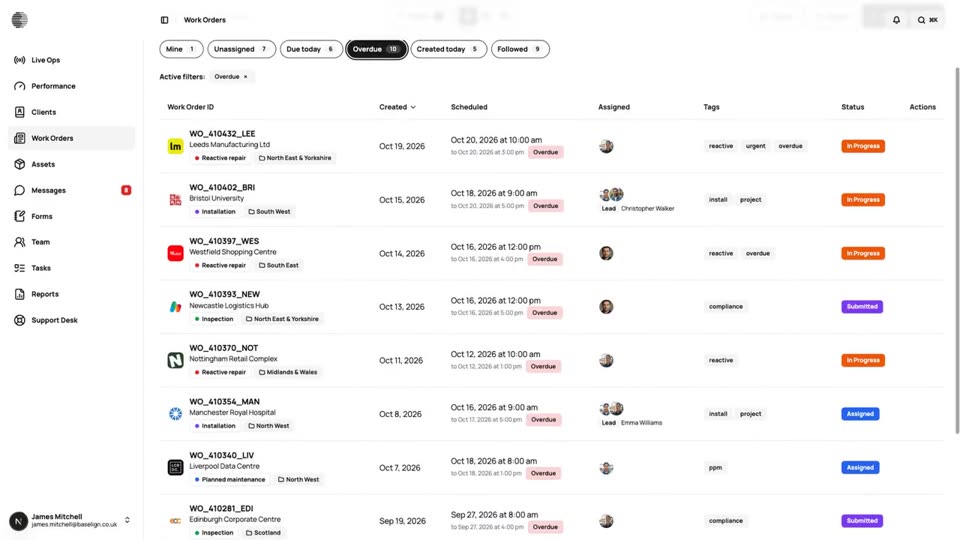
Quick Views & Live Updates
Jump to Mine, Unassigned, Due today, Overdue or Followed with live counts that refresh as colleagues create and update work.
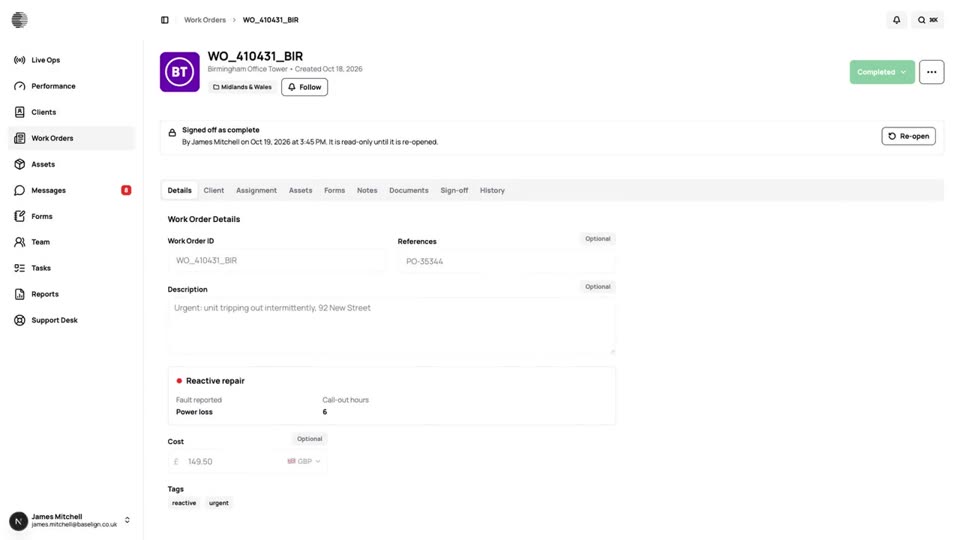
Sign-Off & Locking
Completed work orders lock so the record cannot be quietly changed, and re-opening needs a reason that is written to the history.
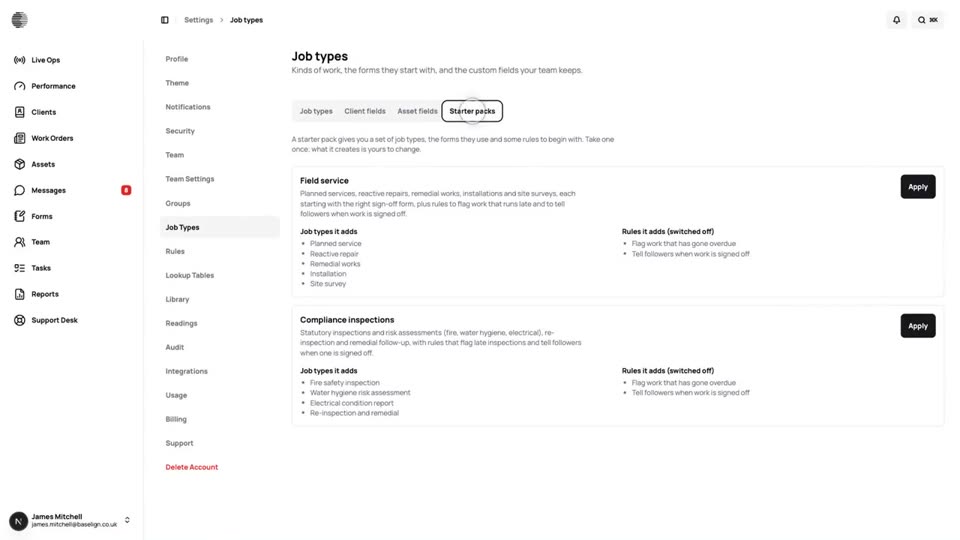
Job Types & Custom Fields
Define the kinds of job you do, with default tags, required forms and your own custom fields, or start from a starter pack.
Try Work Orders With Your Own Team.
Start a free trial, or tell us what you need and we'll show you around.