
Invoicing
The invoice is drafted when a job is signed off. Check it, issue it and send the customer a link, or invoice a month of jobs in one go.
What It Does
With the team setting on, signing off a job drafts its invoice from the charges. Nothing is issued or sent until someone has checked it. Issuing gives it the next number in the sequence, with no gaps, sets the tax point and due date, and emails the customer a link to it.
Jobs signed off but not invoiced yet are listed under Ready to invoice, with what they come to. Draft them in one go, one invoice per client or one per job. Credit notes, deposit invoices and voids are there when you need them, and every issued invoice stays exactly as it was sent.
- Drafted at sign-off, never sent unchecked
- Gapless invoice numbers
- Batch invoicing per client or per job
- Credit notes and deposit invoices
What It Solves
Invoices written days after the work go out late and get paid late. Drafting the invoice at sign-off from what was done means it can go the same day, and the numbering and records meet HMRC's rules.
Works Hand in Hand With
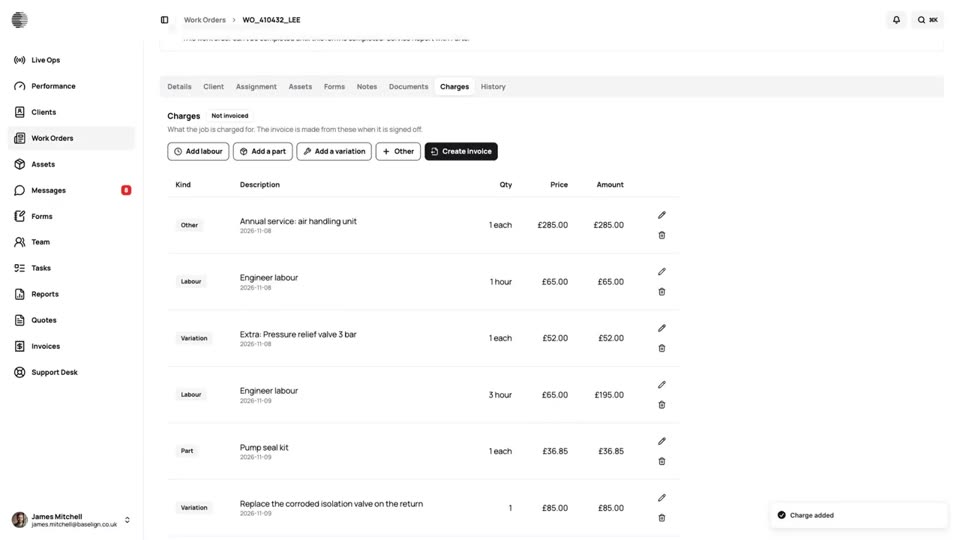
Job Charges
Labour, parts and variations recorded on the job as the work is done, frozen at sign-off and ready to invoice.
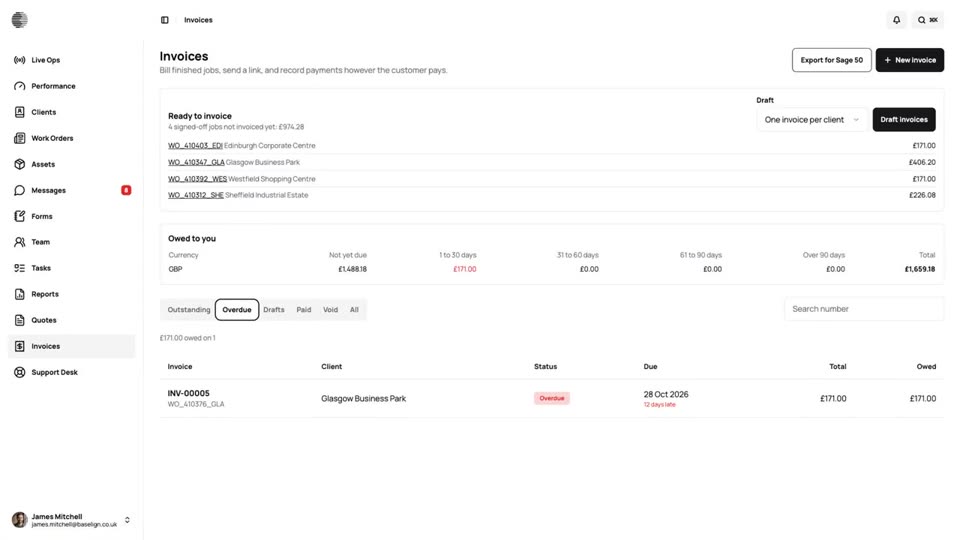
Getting Paid
See what you are owed and how late it is, record the payments you collect, and let reminders do the chasing.
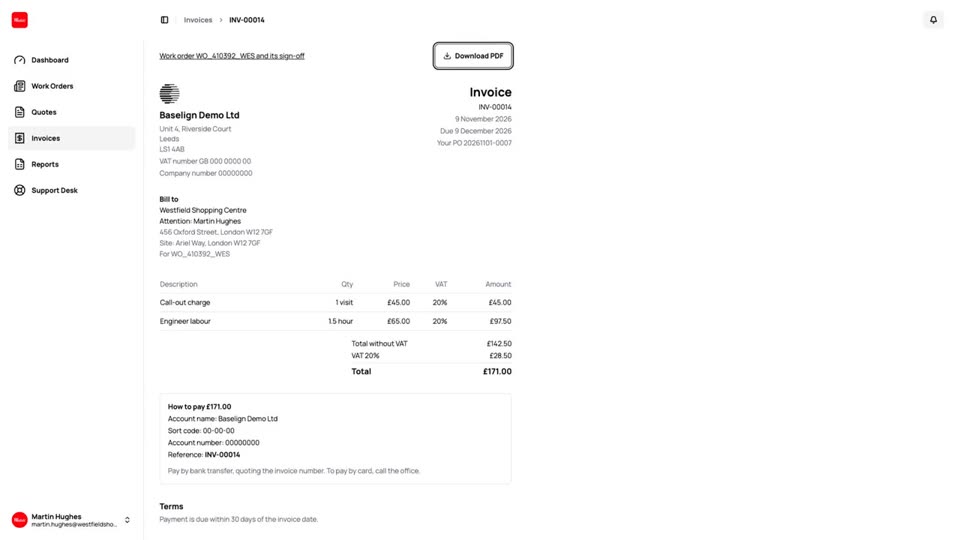
Customer Quotes & Invoices
Customers see their quotes and invoices in their dashboard, with what is owed, how to pay and a PDF to download.
Try Invoicing With Your Own Team.
Start a free trial, or tell us what you need and we'll show you around.