
Getting Paid
See what you are owed and how late it is, record the payments you collect, and let reminders do the chasing.
What It Does
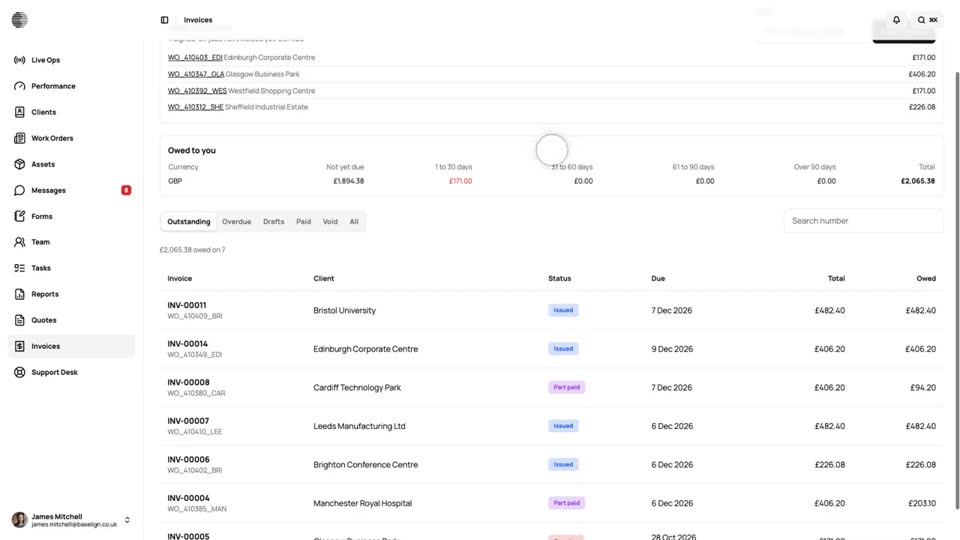
Invoices are listed by state: outstanding, overdue, drafts and paid, with an aged debt summary of what is owed and how late, per currency. Record a payment in two clicks: the balance, today and bank transfer are filled in, and part payments leave the rest owed. The customer can be emailed a receipt.
Switch on reminders and customers are emailed a link to the invoice a set number of days before it is due, after it is due and then every so often until it is paid. A payment recorded in error can be undone, with a reason, and nothing is deleted from the record.
- Outstanding, overdue and aged debt
- Part payments and receipts
- Reminders before and after the due date
- Works with nothing connected
What It Solves
Chasing payments by hand is the job nobody gets round to. Seeing what is overdue at a glance, and letting polite reminders go out on a schedule, brings the money in sooner without the awkward phone calls.
Works Hand in Hand With
Invoicing
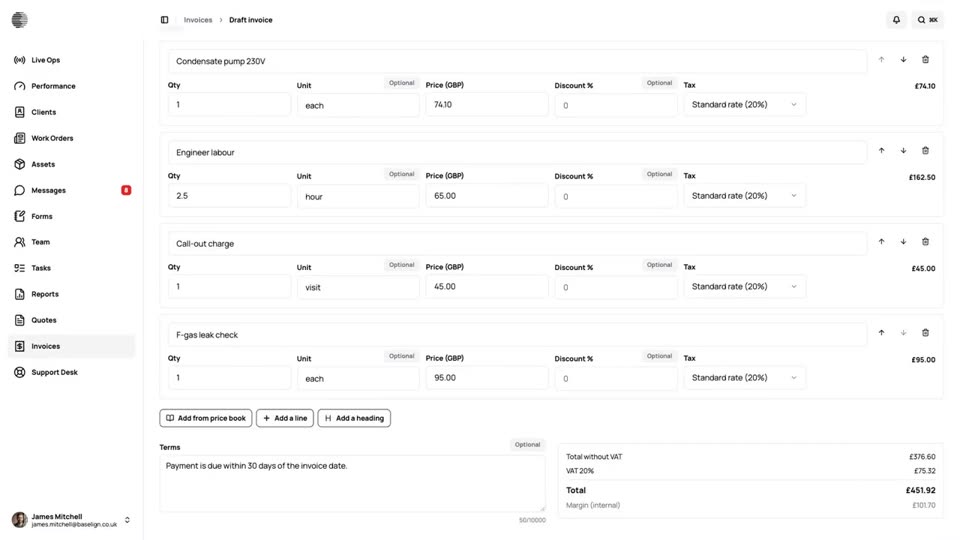
The invoice is drafted when a job is signed off. Check it, issue it and send the customer a link, or invoice a month of jobs in one go.
Customer Quotes & Invoices
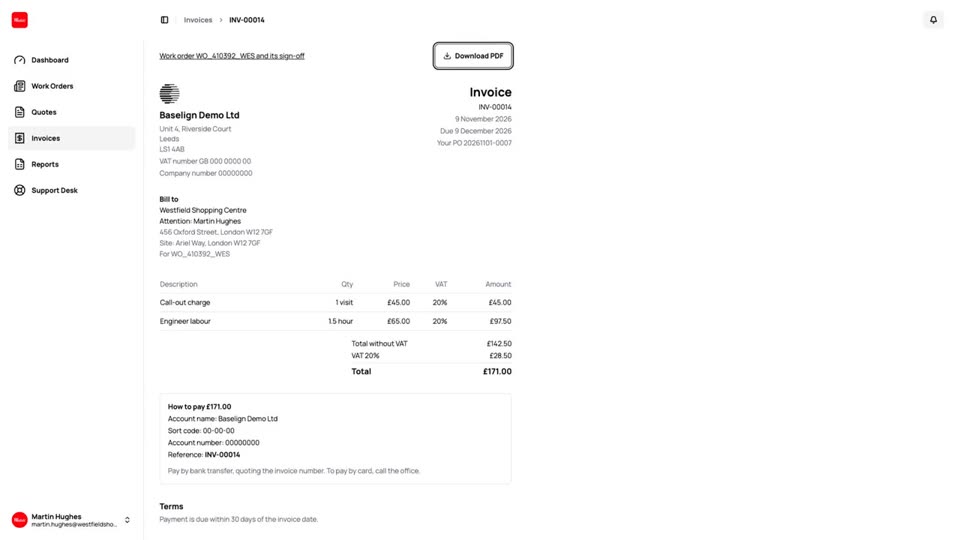
Customers see their quotes and invoices in their dashboard, with what is owed, how to pay and a PDF to download.
Quote to Cash
One job from the quote the customer accepts to the payment in the bank: the work order, the charges, the invoice and the payment, all in Baselign.
Try Getting Paid With Your Own Team.
Start a free trial, or tell us what you need and we'll show you around.