
Quotes
Build a quote from your price book in a minute, with optional lines, a deposit and your terms, and send the customer a link to it.
What It Does
Start a quote from the client, give it a title and add lines from the price book or type your own. Each line has a quantity, unit, price, discount and tax rate, and the totals, VAT by rate, the deposit and your margin are worked out as you go. Mark a line optional and the customer chooses whether to include it.
Send it and the customer gets an email with a link to the quote, not an attachment. You see when they open it, a reminder can go if they do not answer, and a quote that is changed after it is sent becomes a new revision, with the earlier one kept.
- Lines from your price book
- Optional lines the customer chooses
- Deposits, terms and a valid-until date
- See when the customer opens it
What It Solves
Quotes written in a word processor take too long, get prices wrong and disappear into inboxes. Quoting from your own price book keeps prices consistent, and a link you can track tells you whether the customer has even looked.
Works Hand in Hand With
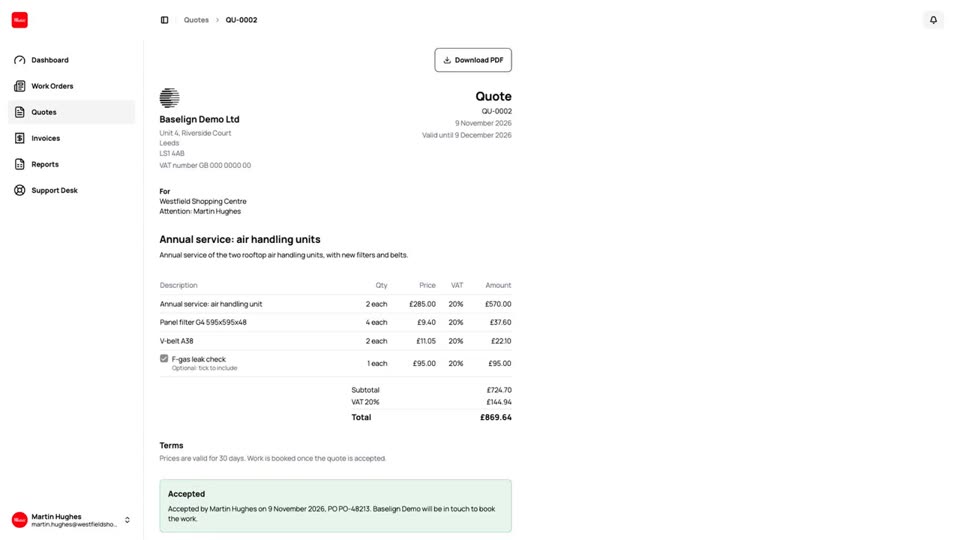
Quote Acceptance
Customers accept a quote online with a typed name and a tick, choose the optional lines and add their PO number.
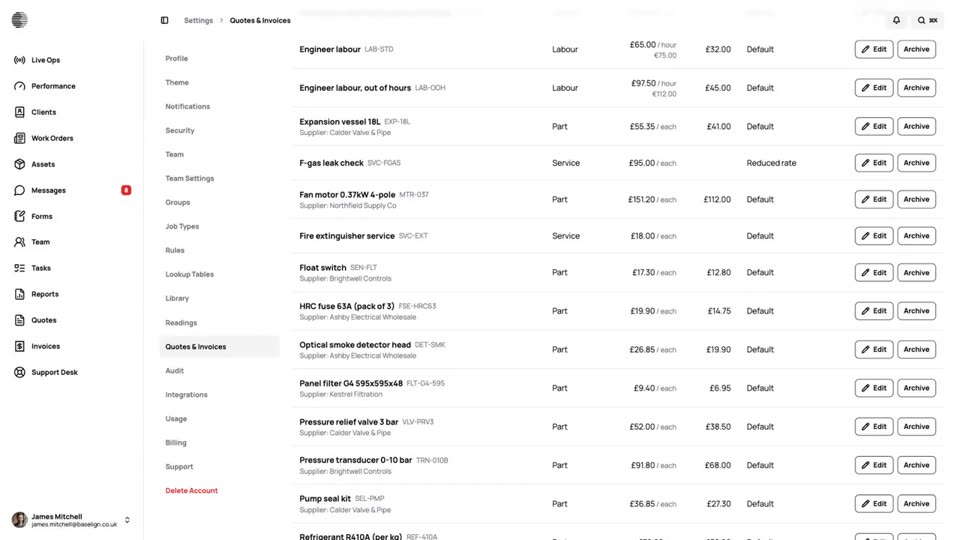
Price Book & Tax Rates
Your labour, parts and services with prices and costs, the UK tax rates including the reverse charge, and your billing details.
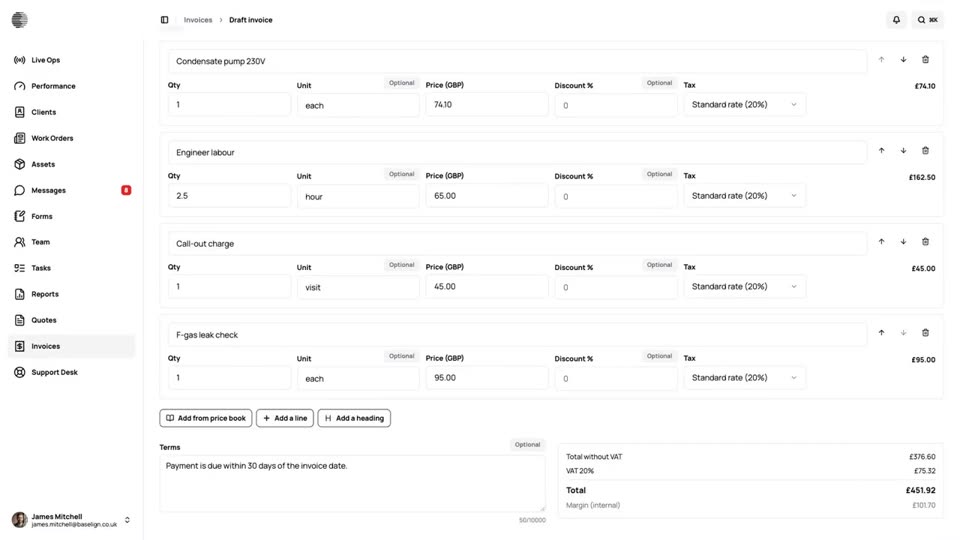
Quote to Cash
One job from the quote the customer accepts to the payment in the bank: the work order, the charges, the invoice and the payment, all in Baselign.
Try Quotes With Your Own Team.
Start a free trial, or tell us what you need and we'll show you around.