
Form Builder
Build inspection and job forms with a drag-and-drop builder, show fields conditionally and review the submissions that come in.
What It Does
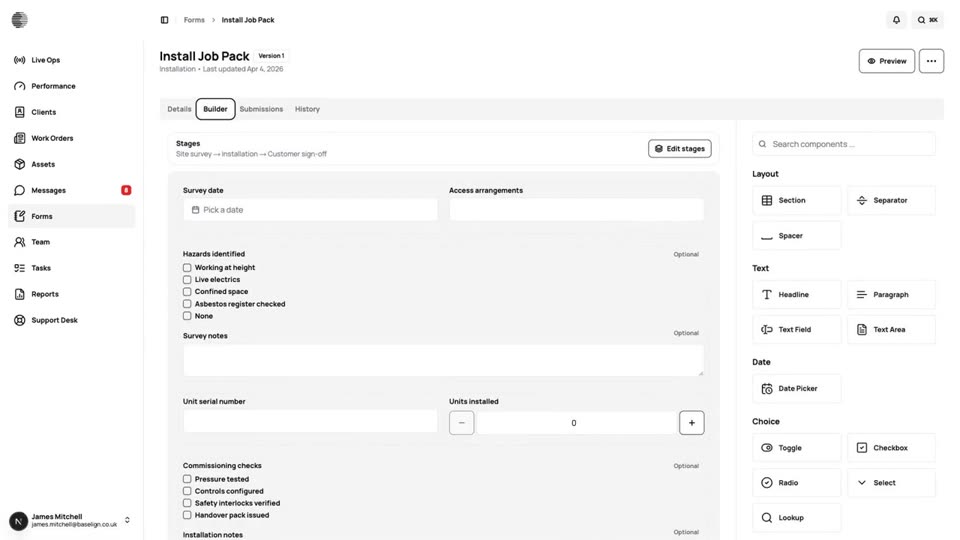
Build a form from sections and fields: text, choices, checkboxes, file uploads and many more. Add conditions so a field only appears when it is relevant, and preview the form exactly as an engineer will fill it in. Forms keep versions, so you can improve one without disturbing work already done.
Attach forms to work orders or job types, and review each submission, with its photos and signatures, from the form or from the job.
- Drag-and-drop builder with a live preview
- Conditional fields
- Versions, so changes are safe
- Submissions reviewed from the form or the job
What It Solves
Paper forms get lost, are illegible and have to be retyped. Digital forms that match your own process are completed on site, reach the office the moment they are submitted and sit with the job they belong to.
Works Hand in Hand With
Multi-Stage Forms
Split a form into stages completed by different people, such as survey, installation and customer sign-off, each with its own copy.
Lookup Tables
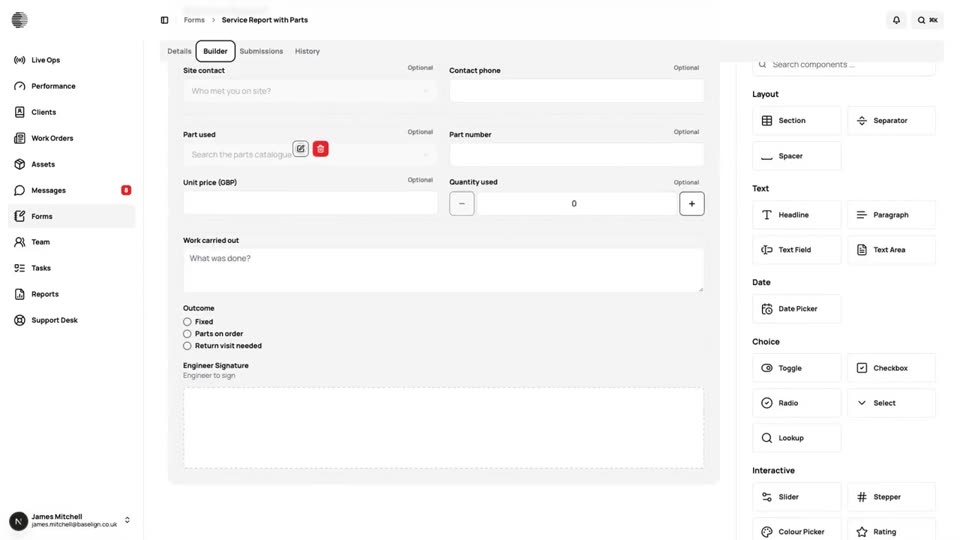
Keep lists such as parts or pump models in one table and let a form fill other fields in from the row you choose.
Mobile App
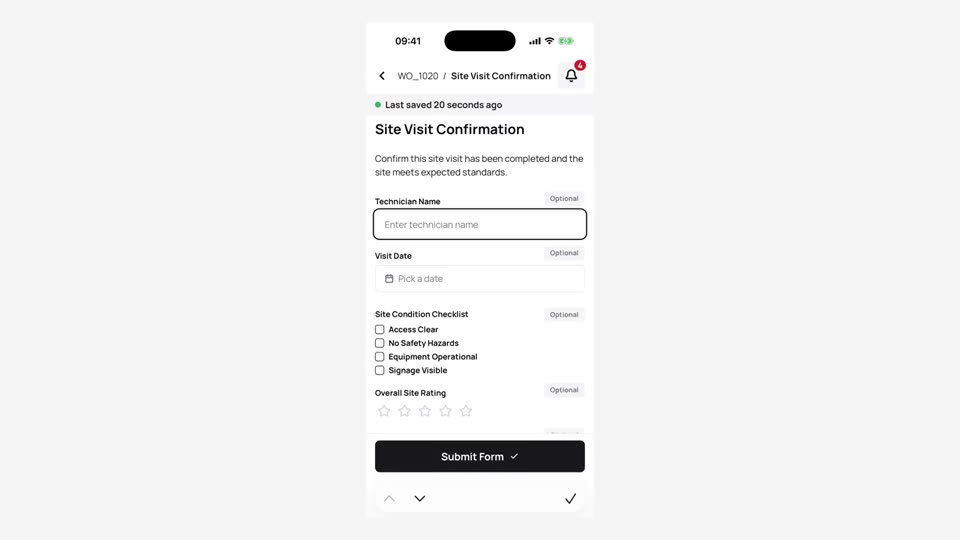
Engineers see their jobs, complete forms with photos and signatures and send the work back, on iPhone and Android.
Try Form Builder With Your Own Team.
Start a free trial, or tell us what you need and we'll show you around.